Magic Princess Dress Up
Simple Word Search

The Wizard Elion : Halloween Edition

The Memory Matrix
Stickman Cartoon Balance

Black Holes

Car Driving 3d Champ 2024

Sky Glide

Bottle Battle
Baby Taylor Toy Master
Spaceflight Simulator

Magical Match
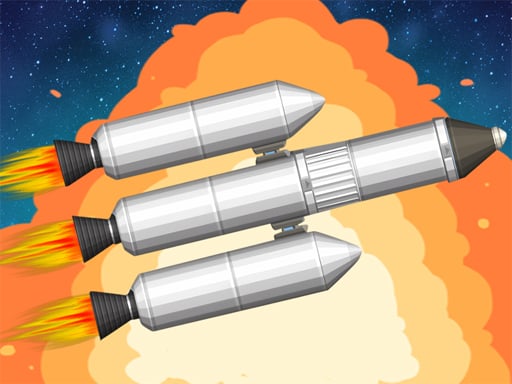
Spaceflight Simulator turns rocketry into an approachable sandbox where smart design beats brute force. You’ll assemble craft from modular parts—fuel tanks, engines, decouplers, fairings, landing legs—and then test, iterate, and test again. Early flights are sub-orbital hops; with better mass ratios and cleaner staging you’ll graduate to orbit, lunar flybys, soft landings, and return missions. The fun is in the engineering loop: one clever redesign can solve a dozen mid-air headaches. How to play Start in the Vehicle Assembly area and snap parts together into a staged stack. On the pad, throttle up, pitch gently to begin a gravity turn, and watch your apoapsis. Circularize at the right altitude, plot burns to meet mission goals, and conserve fuel for descent. Use fairings to reduce drag, decouplers to drop dead weight, and landing legs plus low-thrust engines for controlled touchdowns. Controls Mouse/Touch: Place/rotate parts in build mode W/S or Up/Down: Pitch A/D or Left/Right: Yaw/Roll (depending on setup) Shift/Ctrl: Throttle up/down Space: Activate next stage M: Map/orbit view, set maneuver nodes G: Toggle landing legs; B: Brakes/RCS (if available) Esc/P: Pause & settings Strategies Stage testing: Fly each stage in a short hop to find inefficiencies before committing to a full mission. Mass discipline: Every extra kilogram steals delta-v; streamline for the mission profile. Gravity turn: Start a gentle pitch after liftoff; fighting straight up wastes fuel. TWR & ISP balance: First stage needs thrust; upper stages benefit more from efficiency. Landing burns: Plan a retrograde burn early; small corrections beat last-second panics. Short review A satisfying blend of tinkering and physics where learning feels hands-on. It rewards curiosity, note-taking, and the joy of “it finally works!” FAQs Do I need to know orbital mechanics? No—tutorial prompts and practice hops teach the basics. Are there prebuilt missions? Career-style objectives and sandboxes are both supported (varies by version). Can I quicksave? Most versions allow saves at key phases. Performance tips? Fewer parts and simpler fairings improve frame rate. Controller support? Keyboard/mouse or touch are standard; some builds support gamepads. Attribution: Game title and art belong to their respective owners. This editorial is informational only. For licensing or takedown requests, visit our Licensing/DMCA.
Build and launch your rocket now!

So many more games you can play!
More games
 Home
Home
 Trending Games
 Categories
 Arcade
  Action
  Adventure
  Shooting
  Racing
  Girl
Girl  Puzzle